3D Simple Animation
|
In
this
short article we’re going to experiment with simple animation in 3D
using Matlab.
In the
first experiment, we are going to work with a sphere and are going
to rotate
our view angle without changing any size. In the second
experiment, we’re going
to draw a paraboloid,
change its size and rotate. These basic techniques are
the foundation of 3D animation with Matlab. |
1.
Working with a
sphere
In this
experiment we’re going to draw a sphere and make sure that the axis box
keeps
its proportions correctly. Then, we’re going to rotate our view angle,
i.e.,
the azimuth and elevation. We are neither moving the sphere itself nor
resizing
it, we’re just changing our perspective (angle).
Instruction
‘drawnow’ is
used to update the current figure. It ‘flushes the event queue’
and forces Matlab to update the screen.
The code
that accomplishes this is the following:
clear;
clc; close all
%
Draw a sphere
sphere
%
Make the current axis box square in size
axis('square')
%
Define title and labels for reference
title('Rotation
of a sphere...')
xlabel('x');
ylabel('y'); zlabel('z')
%
Modify azimuth (horizontal rotation) and update drawing
for az =
-50 : .2 : 30
view(az,
40)
drawnow
end
%
Modify elevation (vertical rotation) and update drawing
for el = 40
: -.2 : -30
view(30,
el)
drawnow
end
So we
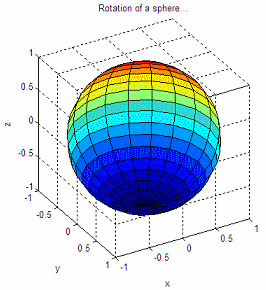
start with this figure:
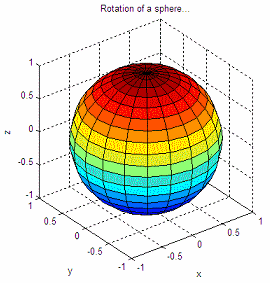
and after
the two soft rotations we end with an image like this:
2.
Working with a
paraboloid
In our
second experiment, we’re going to work with a paraboloid. We first
draw it and
make sure that the axes have the correct fixed sizes for our purposes.
We
stretch the
figure little-by-little and actually see the change in
dimensions.
We just update the ‘z’ values within a loop using the function ‘set’ (used to
modify the handle
graphics properties). Finally, we rotate the azimuth of
the
figure to achive another view of the box. That’s how we achieve this
simple
animation in 3D.
The
code is the following:
clear;
clc; close all
%
Define paraboloid
X = -2 :
.1 : 2; Y = X;
[x, y] =
meshgrid(X, Y);
z = .5 *
(x.^2 + y.^2);
%
Draw 3D figure, keep track of its handle
h =
surf(x,y,z);
%
Keep axes constant
axis([-2
2 -2 2 0 20])
%
Define title and labels for reference
xlabel('x');
ylabel('y'); zlabel('z')
%
Stretch paraboloid and show updates
for i = 1 :
.1 : 5;
set(h,
'xdata', x, 'ydata', y, 'zdata', i*z)
drawnow
end
%
Modify azimuth (horizontal rotation) and update drawing
for az =
-37.5 : .5 : 30
view(az,
30)
drawnow
end
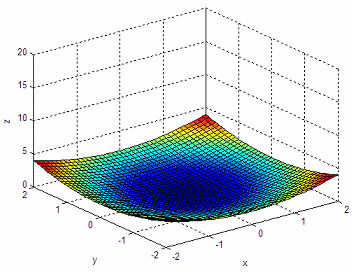
We
start with this view:
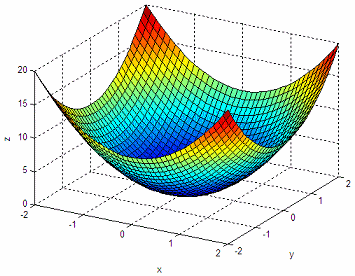
And we
end up with this one:
Done!
These are our first experiments with 3D animations.
From
'Simple Animation
3D' to home
From
'Simple
Animation 3D' to 3D Menu


|